
From download
to the booth, in one click.
Surco converts your tracks, tags them from Discogs or Beatport, checks that your lossless files really are lossless and drops them into rekordbox, Traktor, Engine DJ, Serato, VirtualDJ or Apple Music.
Free. macOS, Windows and Linux. No account.
Tags from
- Discogs
- Bandcamp
- Deezer
- Beatport
- MusicBrainz
- Apple Music
Exports to
- rekordbox
- Traktor
- Engine DJ
- Serato
- VirtualDJ
- Apple Music
That lossless file was an MP3.
#
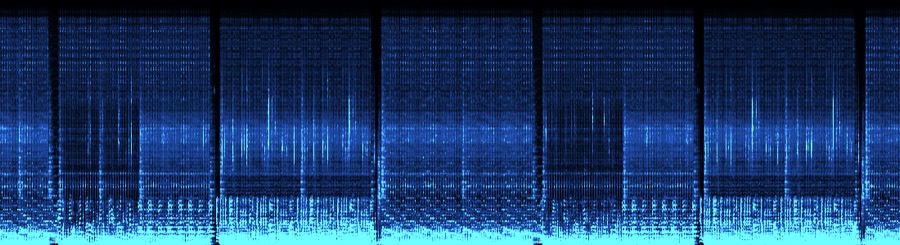
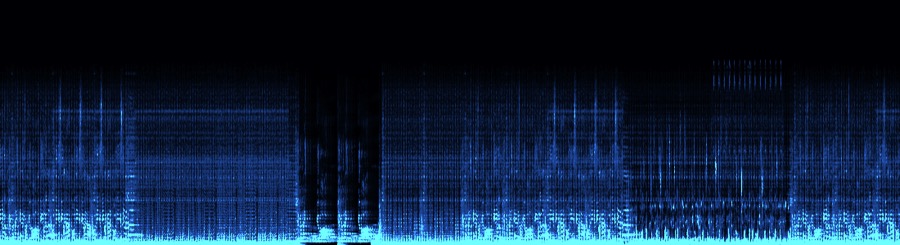
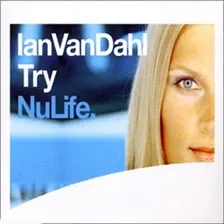
The tags, from Discogs, in one click.
#
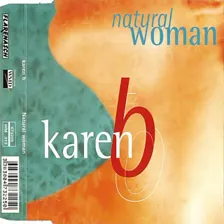
And it lands in your Apple Music.
#
Mark the drop. The rest of the cues place themselves.
#Click where the track drops, or let Auto mark find it. Your flow places the other cues the same way on every track and Surco saves them to rekordbox, Engine DJ, Traktor, Serato or VirtualDJ.
One click, not eight
Mark where the track drops and your flow places every other cue.
Your flow, not someone else's
The cues land where you always put them, the same on every track.
Straight to your program
rekordbox, Engine DJ, Traktor, Serato and VirtualDJ. Engine DJ, Traktor, Serato and VirtualDJ take the hot cues only.
Find the cues that miss the beat. In rekordbox, Engine DJ and Traktor, Surco measures every cue against the grid and pulls out the tracks that drift. Clear them and hit Auto mark. You choose how many ms counts.
Upgrade the file. Your playlists never notice.
#If the track is already in your Apple Music, the button reads “Replace”. Surco swaps the file and every program points to the new one, so you never add the track back to each playlist by hand.
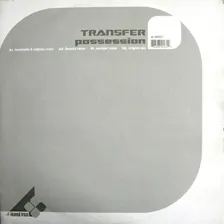
rekordboxCollection
Possession (Dececio Remix)
Transfer
Location
…/02 Possession (Dececio Remix).mp3…/Transfer - Possession (Dececio Remix).aiffIn
- Warm up✓
- Peak time✓
- Italo✓
- Progressive✓
- Closing✓
- Afterhours✓
- Classics✓
- Vinyl rips✓
- Favourites✓
- Room 2✓
Playlists
10
untouched
Cue points
15
in place
MP3 to AIFF, or whatever you like
Any format works, the same one included, from a 128 MP3 to a 320.
Playlists, untouched
The track stays in every playlist it was in, cues included.
In every program
Apple Music, and rekordbox, Engine DJ and Traktor too if you sync them.
Change it once. Every program sees it.
#Open the track from the Apple Music or rekordbox tab, fix the title, the genre or the file name and press Update. Surco carries the change to Apple Music, rekordbox, Traktor, Engine DJ, Serato and VirtualDJ, and it stays the same track in each one.
From any tab
Whichever program you open the track from, the change leaves Surco and reaches the others.
The same track everywhere
Rename the file and every program points to the new one, with its playlists and cues.
If it's open, it waits
A program that is open gets the change as soon as you close it. Each one with its sync turned on.
The tracks that mix well, all in one place.
#In rekordbox you mark the tracks that sound good together with the Matching button. Surco shows them all in one list, grouped into blocks, and turns them into a rekordbox playlist in one click.
In blocks
Each block is a track and the ones you paired with it, in the order you saved them.
On every track
Pick a track and see its partners. In the list, partners carry the rekordbox rings.
From Surco too
Pair and unpair tracks without opening rekordbox, and the automatic session plays pairs back to back.
Fast, really fast.
#Surco responds instantly, however large your library is.
44 ms
How long the rekordbox tab takes to respond with 14,835 tracks
25,000
Traktor tracks selected at once, with no wait
5.3 s
Clearing the cues of 13,280 tracks in Engine DJ
Find the typos and duplicates in your library
#Surco goes through your Apple Music library, the folder you drop or a rekordbox, Engine DJ, Traktor, Serato or VirtualDJ playlist, and groups what's spelled more than one way, the invisible spaces and characters that sneak in when you copy from a website, and the tracks you have twice. You choose how it should read and the change reaches the files, Apple Music and, if you sync them, rekordbox, Engine DJ, Traktor, Serato and VirtualDJ.
Spellings
DJ Lara and Dj Lara, Head Horny's with two different apostrophes, accents that don't match.
Typos
Rahcel for Rachel. A typo never joins the batch by itself, you decide.
Duplicates
The same track twice. The copy you keep joins the playlists of the one you remove.
Everywhere
Files, Apple Music, rekordbox, Engine DJ, Traktor, Serato and VirtualDJ, with a backup of every file and every DJ library, restorable from Backups (except Serato's). And corrections come with Undo.
All of it, in one window.
No cloud, no limits, nothing to sign up for. It updates itself.
Direct download
Or with Homebrew
$ brew install --cask surco-app/surco/surcoHomebrew: macOS only. Windows and Linux, from the download button.
Your originals, safe. When you change format, the copy goes to a separate folder. If the copy replaces the old one in your library, the old one goes to the Trash or to Backups once the new one has been checked. Notarized by Apple.
No telemetry. Surco doesn’t know who uses it or what you do with your music. The only public figures are the downloads, and they’re in Stats.